






Web Hosting
What is web hosting?
An easy-to-understand explanation of what web hosting is, how it works, and why it’s a fundamental part of every website
Understanding web hosting is essential to establishing or improving your business’s online presence. Here, you’ll learn what web hosting is, how it works, and the key concepts that make websites accessible on the internet. Whether you’re new to websites or looking to better understand the technology behind them, this guide explains the fundamentals of web hosting in simple terms.

Think of web hosting as a library for your digital content. Your website files are like the books you’ve written, and the server is like the library that stores them. Just as a library provides a structured, secure environment where books are preserved and made available to visitors, a web hosting service maintains the necessary infrastructure to keep your digital content accessible to anyone with an internet connection.
Web hosting explained
Web hosting is a service that makes your website available on the Internet.
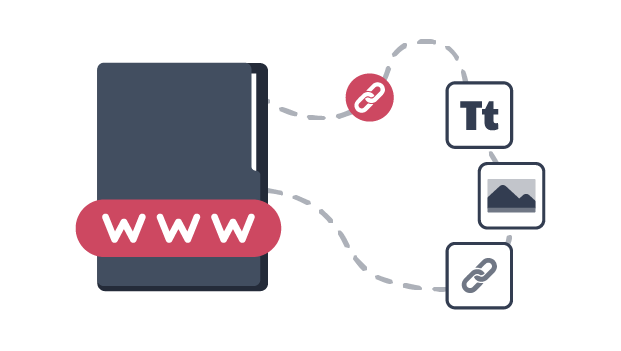
A website is made up of files like text, images, videos, and code, and these files need to be stored somewhere connected to the Internet..
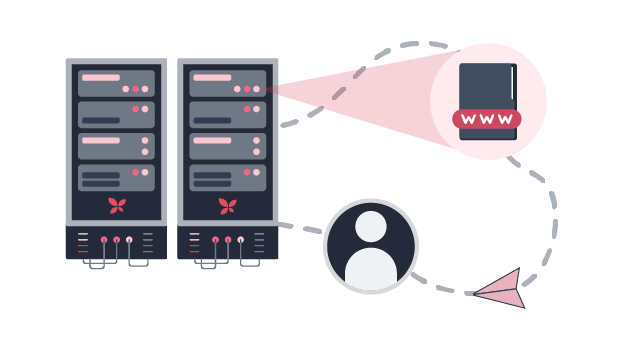
A web hosting provider, like xneelo, provides powerful computers called servers that store these files and delivers them to your website visitors.

These servers are designed to handle website traffic, maintain security, and ensure your website is available 24/7.
How web hosting works
While the technology can seem complicated, the basics of how web hosting delivers your website to visitors are pretty straightforward. Let’s look at what happens in those few seconds after someone types in your website address and watches it appear on their screen.
The journey of a website visit
It may seem instant, but a lot happens behind the scenes in just a few seconds.

The browser acts like a messenger, trying to fetch your website’s content.

The Domain Name System (the internet’s phone book) translates your domain name into an IP address – the numerical address of your website’s hosting server.
Using this IP address, the browser sends a request to the hosting server to deliver your website files.
The server responds by sending back everything needed to load your homepage – HTML files, images, logos, and product info.
As your site loads, the browser pieces everything together like a puzzle. It may make additional requests as users scroll, loading more images or data as needed.
Security features work quietly in the background. SSL certificates encrypt the connection to protect sensitive information, firewalls block suspicious activity, and backup systems help keep your website online.
What’s the difference between a domain and web hosting?
Many website users confuse domain names and web hosting, but they serve different purposes. A domain name is your website’s address on the internet, such as yourbusiness.co.za.
Web hosting is the service that stores your website’s files and makes them accessible online.
A simple way to think about it:
- Your domain name is your street address.
- Your web hosting is the building where your website lives.
Both are required for people to access your website online.
Making sense of web hosting terms
Web hosting involves technical elements like bandwidth, uptime, server response times, and security protocols that initially seem complicated. However, understanding these terms is key to understanding how web hosting works.
To help simplify this, we’ve put together a handy glossary of essential web hosting terms so you can better understand the technology that powers your website.
Term |
Definition |
|---|---|
|
Domain |
Your unique web address (e.g. yourperfectdomain.co.za) that users type into their browsers to visit your website. |
|
IP Address |
A numerical label is assigned to each server or device on the Internet, allowing them to communicate – your domain points to your website’s IP address. |
|
Traffic |
The amount of data transferred between your website and its visitors over a given period. |
|
Uptime |
The percentage of time a website remains available and accessible to visitors. |
|
Security |
Protection against cyber threats, including DDoS protection, firewalls, malware scanning, SSL certificates and regular updates. Learn more about secure web hosting. |
|
Server location |
The physical data centre location where your website is hosted. South African hosting ensures faster speeds and compliance with local laws. |
|
Storage (disk space) |
The amount of space allocated to store your website files, images, databases and other content. Learn more about SSD web hosting. |
|
File Transfer Protocol (FTP) |
FTP is a way to upload and download files to your server. |
|
Backups |
Regularly saved copies of your website to prevent data loss. Many providers offer daily or weekly automatic backups. |
|
Scalability |
The ability of a hosting environment to provide additional resources when a website experiences growth or increased traffic. Learn more about scalable hosting plans. |
|
Control panel |
A dashboard to easily manage your website’s files, emails, and settings. |
|
Domain Name System (DNS) |
The system that converts your website name into the numerical address computers use to find your website online. |
|
Content Delivery Network (CDN) |
A CDN stores copies of your website on servers worldwide, delivering content faster to users by reducing load times and server strain. |
Common types of web hosting explained
Websites can be hosted in different ways depending on how resources are allocated and managed. The following are the most common hosting types and how they work.
Type of web hosting |
What it is |
Best for |
|---|---|---|
|
Shared hosting |
Many websites share the resources of a single server, making this option cost-effective for websites with moderate traffic. |
Small businesses that are just starting, as well as blogs and informational websites. |
|
Virtual private server (VPS) hosting |
VPS hosting divides a single server into multiple virtual servers, giving each website dedicated resources. It’s like having a private office in a shared building – you get your own space while still in a shared environment |
Growing businesses, e-commerce sites with increasing traffic, and websites requiring specific software. |
|
Managed server hosting |
A dedicated server managed by your web hosting provider, offering setup, monitoring, updates, and security. |
Businesses that need high performance without the technical ability to manage the server themselves. |
|
Self-Managed server hosting |
A dedicated server that is managed entirely by yourself. This offers maximum performance, security, and customisation options. |
Large businesses, high-traffic websites, and applications that require significant resources. |
|
Cloud hosting |
Your website runs on a network of connected virtual and physical servers, providing flexible resources that scale with demand. |
Websites with variable traffic, businesses requiring high reliability, and growing online ventures. |
|
Reseller hosting |
Reseller hosting, like xneelo’s Volume Plan, allows you to buy hosting resources in bulk and resell them to your clients. You control the resources, pricing, and branding while benefiting from reliable infrastructure and 24/7 local support. |
Web developers, agencies, and entrepreneurs looking to offer hosting services or start a hosting business. |
How it all works together
Web hosting is what makes websites accessible on the internet. Behind every website is a combination of technologies working together, including servers, domains, DNS, storage, security and backups.
Different types of web hosting provide these resources in different ways, but they all serve the same purpose: making websites available online.
Understanding these fundamentals makes it easier to understand how websites are published, delivered, and maintained online.



