



Log in to the console on cloud instances
Each cloud instance has a graphical console in the xneelo Cloud dashboard. The console provides direct access to the instance terminal, where you can run commands, troubleshoot, or recover access when SSH is unavailable.
In this article, you’ll learn how to log in to the instance console via the xneelo Cloud dashboard, and what credentials are required.
-
Access the instance console
You can access the console of a cloud instance from your xneelo Cloud dashboard.
The console is only available while the instance is in a running state. If the instance is shut off, the console will not be accessible.
Steps
-
1In the left menu, go to Compute > Instances.
-
2Find the instance you want to access.
-
3You can open the console in two ways:
- Click the Instance Name (blue hyperlink), then go to the Console tab.
- Or click the ▼ in the Actions column, then choose Console.

-
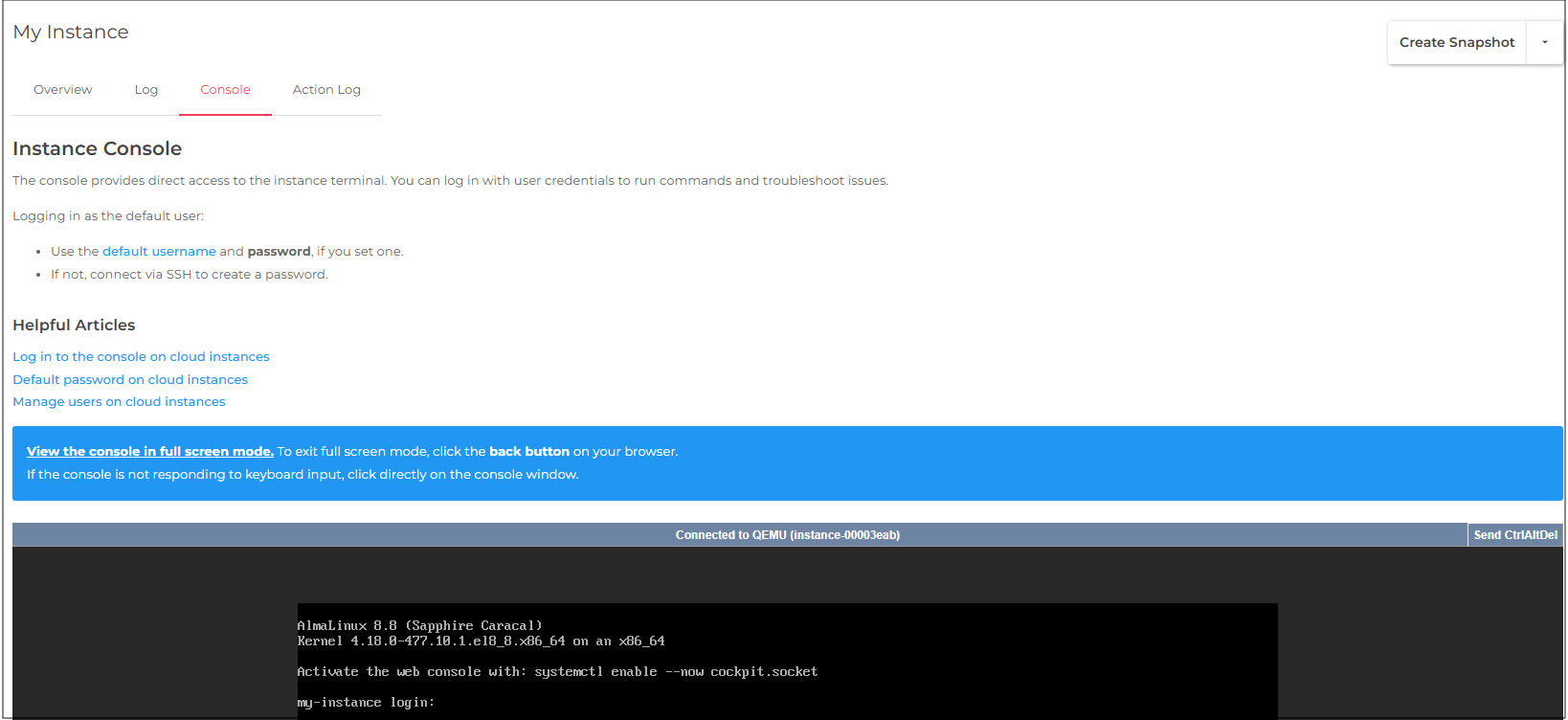
4The console will open in your browser.
Once the operating system has booted successfully, a login prompt should appear.
You can then log in using a valid username and password.
-
-
Log in to the console
Note: Opening the console does not automatically log you in to the operating system. You still need a valid operating system username and password. If no password has been set for the user, console login will not work until you set one.
Once the console is open, you can log in as any user that has been set up on the instance.
You will need both the username and password to access the instance.
If this is your first time accessing the instance, logging in as the default user is usually the starting point.
In order to log in as the default user, a password must be set. This can be done during:- Instance creation (using a configuration script), or
- After instance creation (via SSH)
Find out how to set a password for the default user.
Steps
-
1Access the instance console (see steps above).
-
2Click the grey status bar to enable keyboard input.
-
3
-
4Enter the password, (no characters will appear as you type), then press Enter.
-
5If the credentials are correct, you’ll be logged in and can begin managing the instance.