






Get started with xneelo Cloud

Welcome to xneelo Cloud – a platform to build your own cloud environments. With flexible, hourly pricing, you can create virtual servers, storage and networks to power your projects.

This guide will help you get started and understand how everything fits together.


  • Understand the basics

    Xneelo Cloud provides Infrastructure-as-a-Service (Iaas) with virtual compute, storage and network resources.

    You can build and manage your own infrastructure directly from your Cloud dashboard.

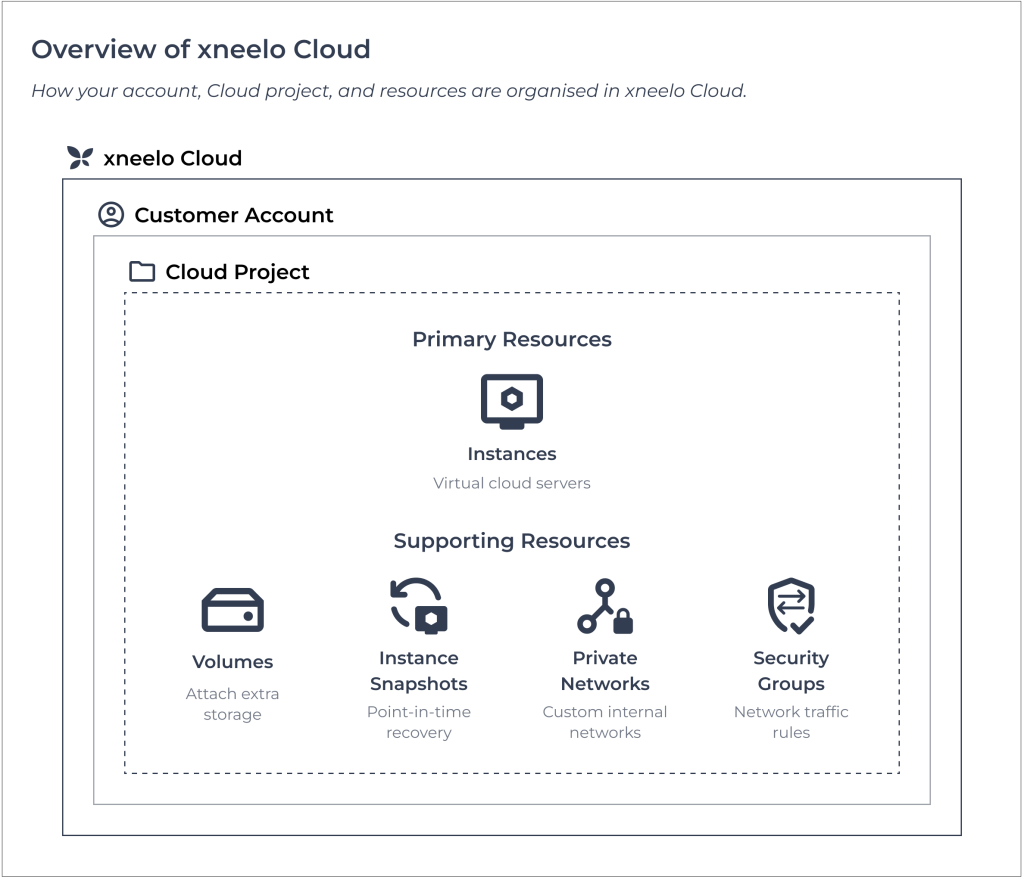
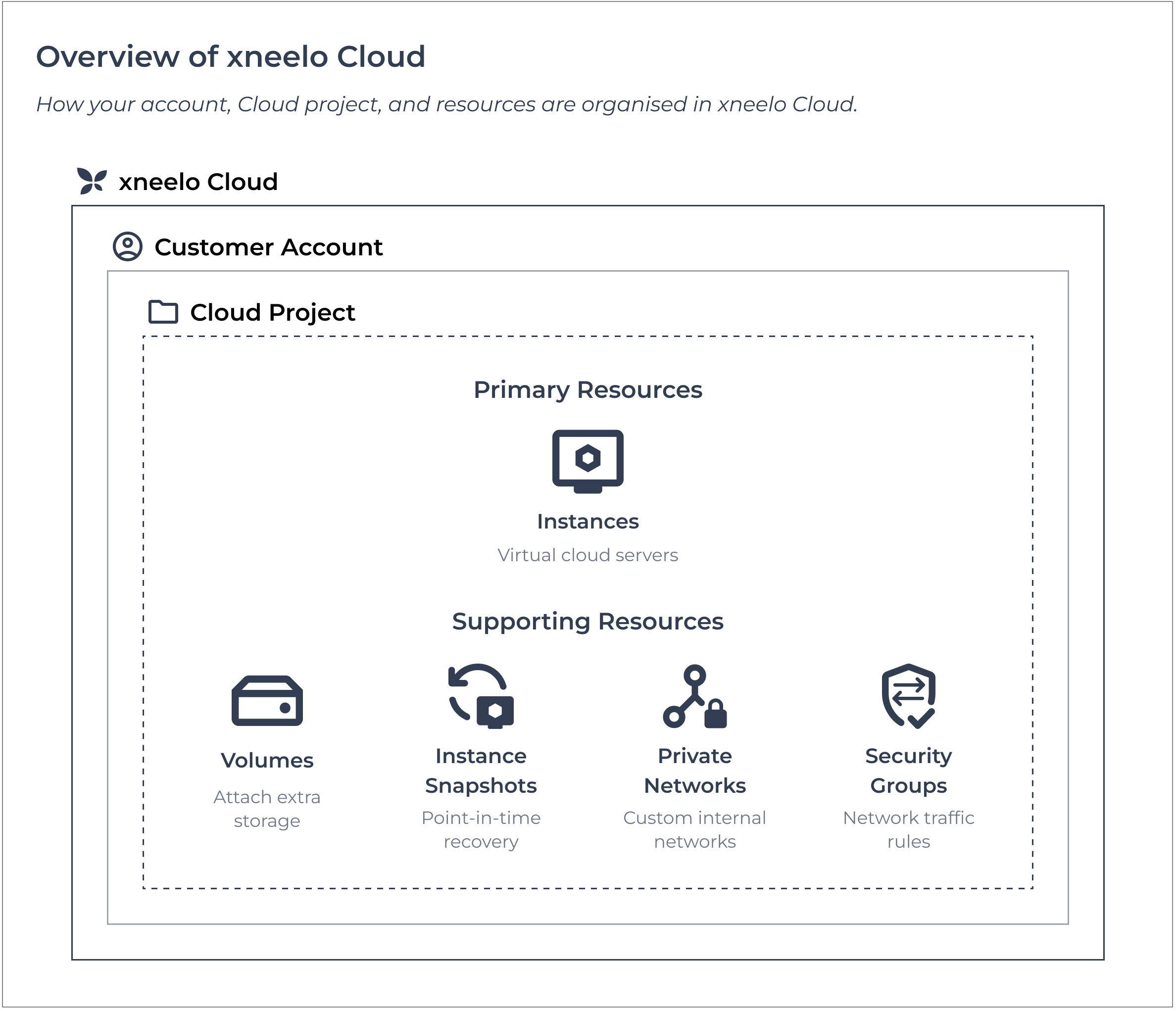
    Our Cloud infrastructure includes:

    • Instances – virtual servers that run your workloads
    • Volumes – storage attached to your instances
    • Networks – internal or public connectivity between resources
    • Security groups – rules that control access to your instances

    Xneelo Cloud supports both simple and complex environments, from flexible application hosting to distributed systems and multi-environment setups.

    Have more questions? Take a look at the xneelo Cloud FAQs.


  • Create your first project

    After signing up and activating your account, you’ll create your first Cloud project – a workspace for all your resources.

    From there, launch your Cloud dashboard to start building your environment.

    You’ll start with creating your first instance (primary resource), and then add supporting resources as you need.


  • Create your first instance

    Instances are virtual servers that provide the computing power for your workloads.

    Follow the guide to create a Cloud instance.

    Once your instance is created, you can:

    • Manage network access: Configure security groups and networks.
    • Connect remotely: Use an SSH client and key pair.
    • Access the console: If you’ve set a password.
    • Set up your server: Create users and install software.

    You can find guides on all these steps in the Compute Help Centre.


  • Build your Cloud environment

    After launching your first instance, you can expand your setup by adding more resources.

    You’ll start with default project limits (resource quotas), but can request more as your cloud grows.

    Common additions include:

    • Volumes – Extra storage for your instances.
    • Snapshots – For point-in-time recovery.
    • Private networking – Custom network setups and traffic control.

    View the full list of features available in xneelo Cloud.


  • Manage your Cloud

    Xneelo Cloud is self-managed, giving you full control of your virtual infrastructure.

    We manage the underlying infrastructure, while you manage:

    • Your instances and configurations.
    • Applications and data.
    • Network access and security.

    Keeping your Cloud secure is your responsibility. Misconfigured resources could expose your workloads to risk, and breach our Acceptable Use Policy.


  • Get support

    Our Cloud Help Centre offers detailed step-by-step guides to help you self-manage your environment.

    If you need additional help, our support team is available via Live Chat in the Control Panel.

    Visit the Cloud Help Centre


Assist Note

Xneelo Cloud is fast, flexible and ready for your projects.

Start by creating your first instance and explore what’s possible in your Cloud environment.
