







How to delete a hosting package from your Managed Server via the xneelo Control Panel
The information in this article is related to the new xneelo Control Panel.
If you are still using konsoleH, refer to this article.
If you are still using konsoleH, refer to this article.
To remove a hosting package from your Managed Server, follow the steps below.
The hosting package can either be removed from your server immediately or in 30 days.
Steps
-
1
-
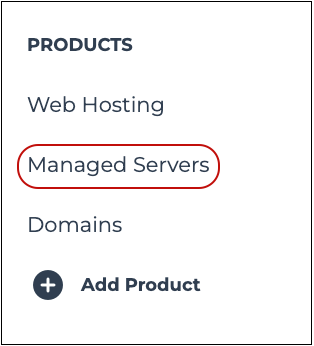
2Under PRODUCTS in the side menu, select Managed Servers.

-
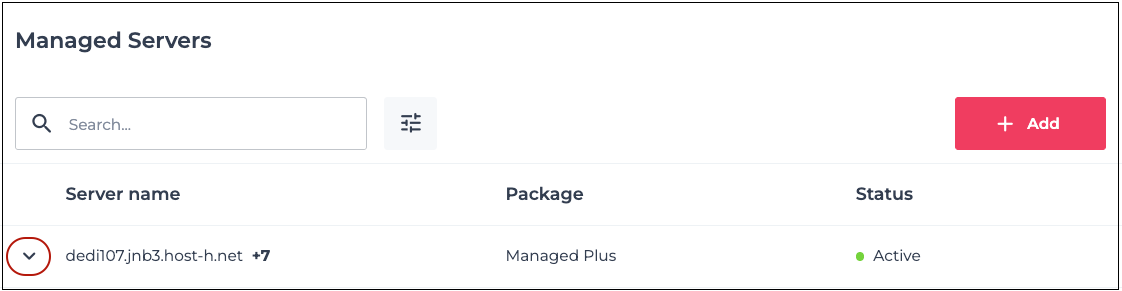
3Click on the down arrow (⌄) to the left of your server name.

-
4Select the domain name you would like to cancel.
-
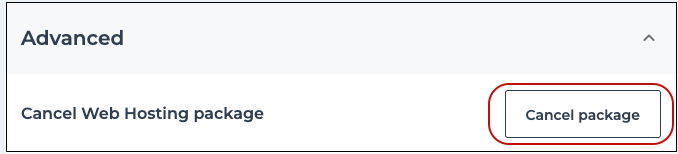
5Scroll down to Advanced and click on Cancel package.

-
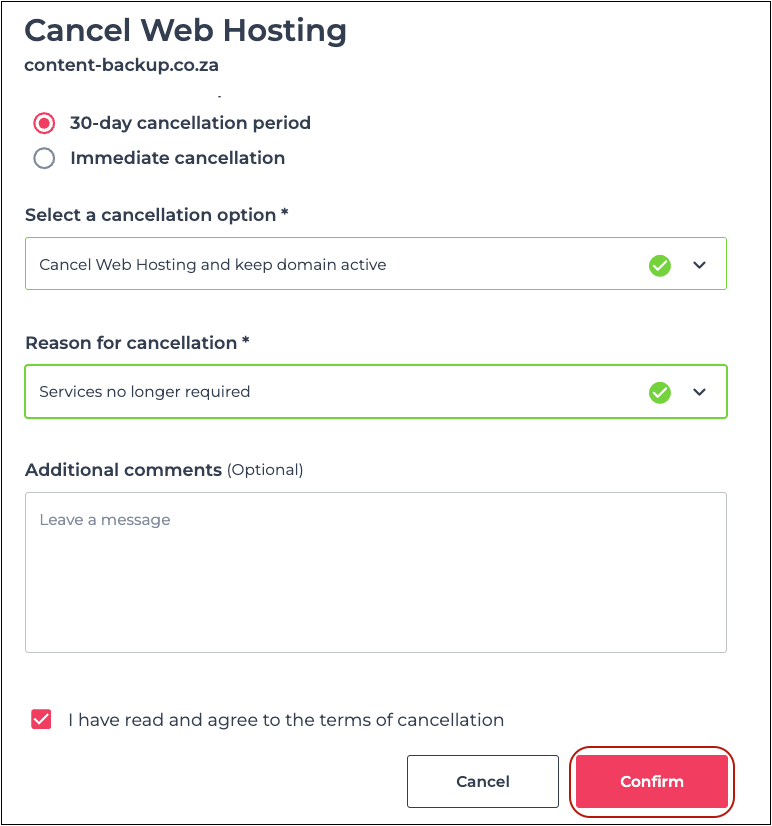
6From the drop-down menus provided, select:
- Your preferred cancellation period
- Your preferred cancellation option for the domain name
- The reason for the cancellation
-
7Select the checkbox to confirm that you have read and agree to the terms of cancellation.
-
8Click on Confirm.


If the domain is registered through xneelo and you have opted to delete the domain, the domain name will be deleted before the next renewal date and will become available for public registration.



