







How to order an Internal Transfer of a Self-Managed Server
Self-Managed Servers can be transferred internally between two xneelo accounts. This process is referred to as an Internal Account transfer.
The party currently managing the Self-Managed Server is responsible for initiating the transfer to the new Account Owner.
If the new Account Owner does not have an xneelo account yet, they will need to create an account.
Steps
-
1
-
2Under Products in the side menu, select Self-Managed Servers.
-
3Select the Self-Managed Server you would like to transfer.
-
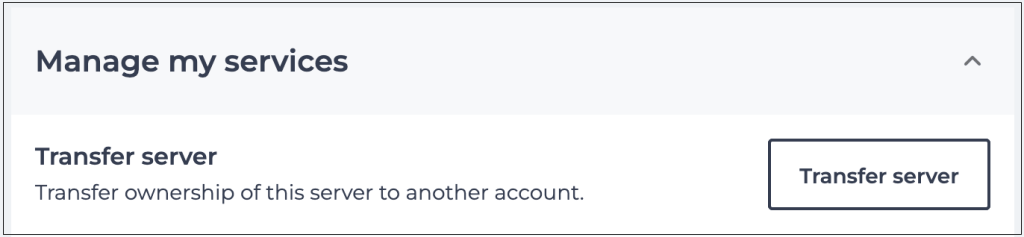
4Scroll down to Manage my services and select Transfer server.
-
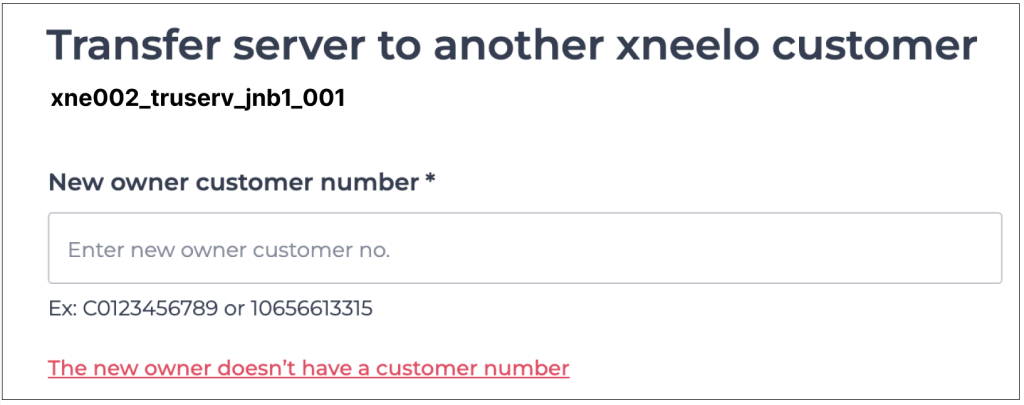
5Enter the new Account Owner’s customer number in the field provided, or select the option in red if they do not have a customer number yet.
-
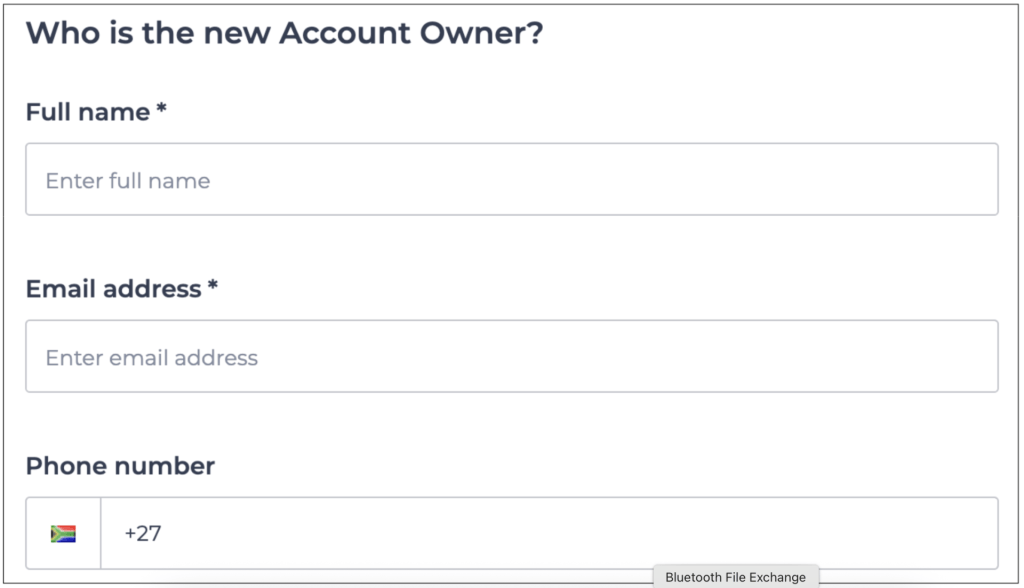
6Enter the new Account Owner’s details if they do not have a customer number yet.
-
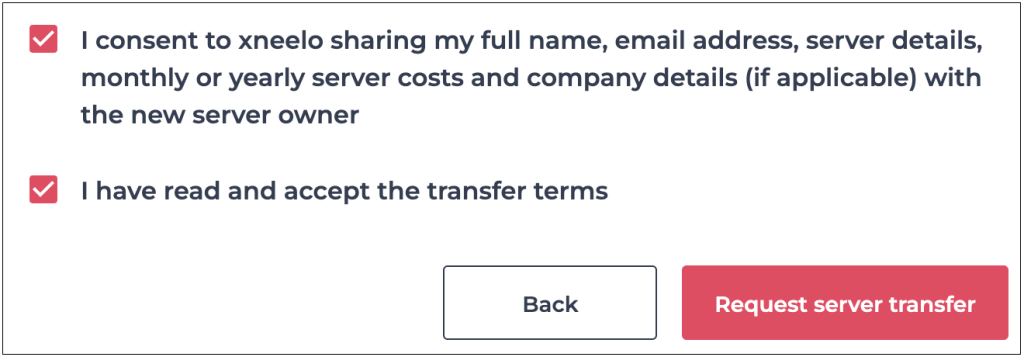
7Agree to the transfer terms by selecting checkboxes and then click Request server transfer.
-
8Our Support department will be in contact for the next steps.

Your server data and network configuration, including IP ranges, will remain unchanged. The only change will be to the server name.

Transfer terms:
- Authorised parties on both accounts must consent in writing to complete the transfer
- Servers transfer ‘as is’ with the current setup and configurations at the time of consent
- Once transferred, the server name will change to match the new owner’s account
- Active File Storage accounts and data are permanently deleted during transfers
- It’s my responsibility to share server access details with the new Account Owner as xneelo doesn’t store them for security reasons
- Hosting fees paid in advance will be refunded pro-rata



